Export data (CSV)
Plans: Starter / Pro / Business / Enterprise (not available on Free)
You can save some of the data shown on the map as a CSV file, for spreadsheet analysis or internal documents. CSV is the only format.
Layers you can export
The following six layers are supported. No "⬇" button appears on other layers.
| Layer | Content |
|---|---|
| Land price (official / prefectural survey) | Land price history |
| Land transactions | Residential land transactions |
| Condominium transactions | Used condominium transactions, etc. |
| Land and building transactions | Land-and-building transactions |
| Farmland / forest transactions | Farmland transactions (forest land is not included) |
| PLATEAU buildings | Buildings |
Steps
- Log in and confirm you are on Starter or above
- In the left sidebar, turn the layer you want to save ON (the "⬇" button appears on a layer that is ON when you are logged in and your plan includes export)
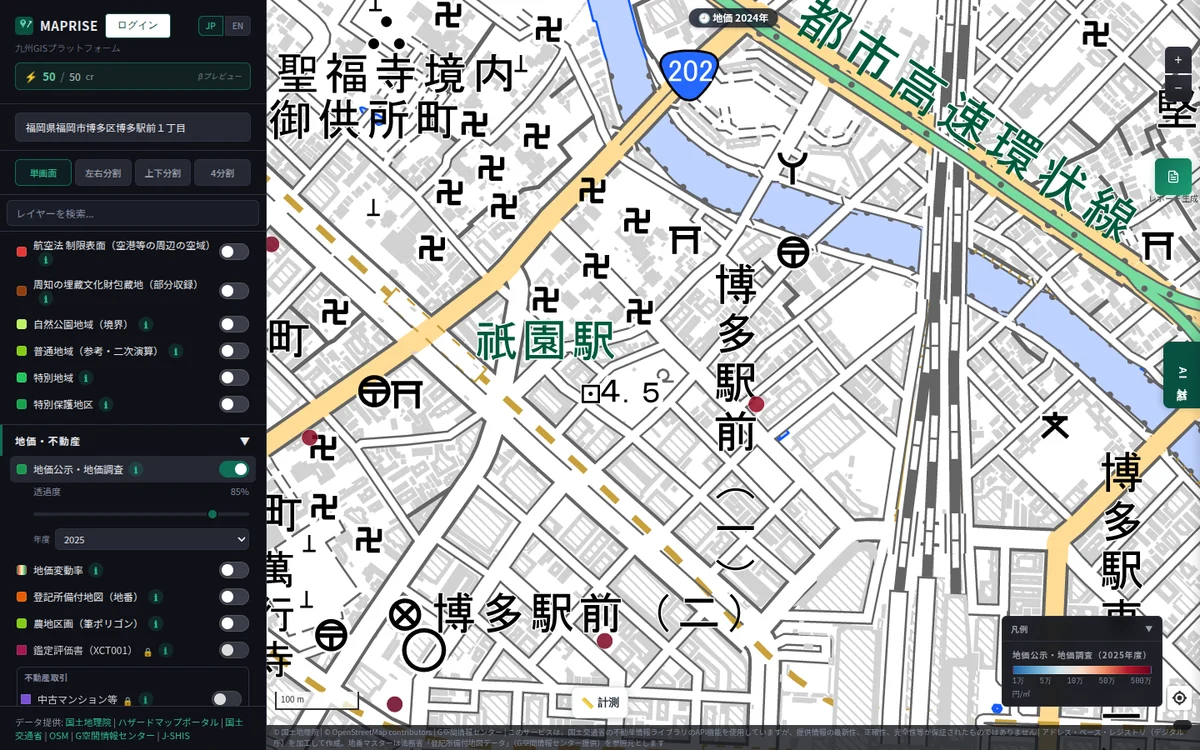 3. Zoom in so the area you want is on screen (zoom level 12 or higher is required). In a split view, the visible area of the map you are working on is used
4. Press the "⬇" button on the layer's row ("Export data (CSV)")
5. If a confirmation of sources and terms of use appears, read it and agree
6. After "Exporting...", the CSV file downloads automatically
3. Zoom in so the area you want is on screen (zoom level 12 or higher is required). In a split view, the visible area of the map you are working on is used
4. Press the "⬇" button on the layer's row ("Export data (CSV)")
5. If a confirmation of sources and terms of use appears, read it and agree
6. After "Exporting...", the CSV file downloads automatically
Limits
| Item | Details |
|---|---|
| Rows per export | Up to 10,000. If exceeded, zoom in further to narrow the area |
| Area exported | The area currently shown on the map |
| Daily row limit (resets at 0:00 Japan time) | Starter 50,000 / Pro 200,000 / Business 1,000,000 / Enterprise unlimited |
| Years of land price and transaction data | Starter and Pro: past 10 years; Business and Enterprise: all years |
| AI credits | Not consumed |
Data that cannot be exported
- Zoning, flood inundation areas and sediment disaster warning areas are excluded from export, to prevent data from being taken out in bulk
- Areas not included in MAPRISE because of the data provider's terms of use are also absent from the output
- Exported CSV files start with comment lines that give sources. Please use the data in line with the sources and terms of use
- Formats other than CSV, such as GeoJSON, are not supported
Notes
- Location coordinates are not included; an address column is output instead
- Redistributing exported data, or offering it as a database, may not be permitted by the sources and terms. See the Data policy for details