How to log in and create an account
Plans: all plans (creating an account is free and no credit card is required)
What you can do without logging in
You can open the MAPRISE map screen without logging in. As a guest you can browse the map and try the AI chat, limited to 2 AI questions per day. Features that save your data, such as property registration and PDF reports, require a free account.
Two ways to log in
| Method | Details |
|---|---|
| Continue with Google | Log in with your existing Google account (single sign-on). If it is your first time, an account is created automatically |
| Continue with email | Create a new account with your email address and a password, then log in |
Logging in with other accounts, such as Apple or Microsoft, is not supported.
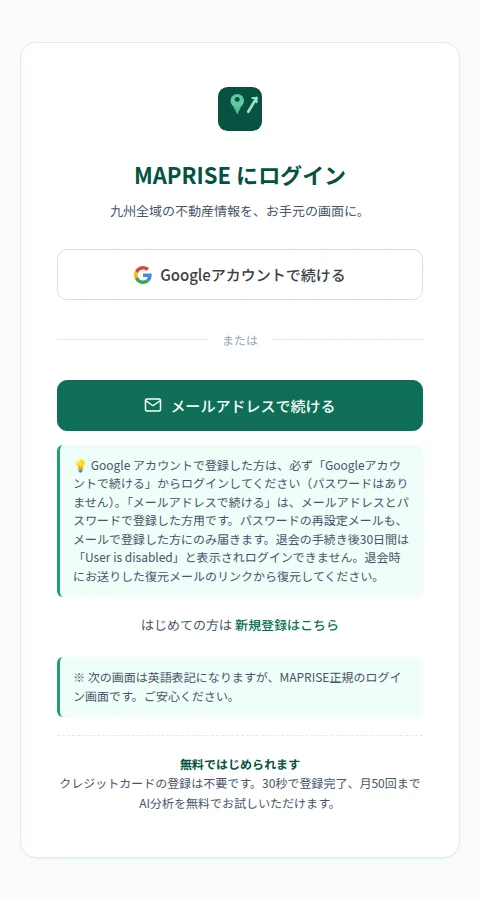
Log in with a Google account (SSO)
- Press "Log in" on the MAPRISE home page or at the top right of the map screen
- Choose "Continue with Google"
- Select your account on the Google screen and follow the prompts to allow access
- You are returned to the map screen, logged in
Create an account with your email address
- On the login screen, choose "Sign up" (the link for first-time users)
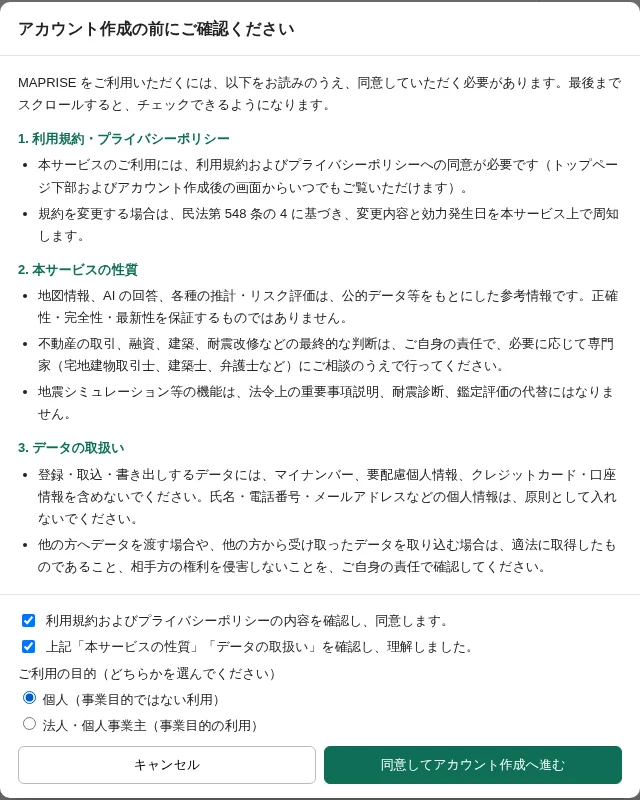
- A "Please confirm before creating an account" screen opens. Read the Terms and Privacy Policy, the nature of the service and the handling of data, then tick both check boxes (they unlock once you scroll to the end). Choose your purpose of use (individual, or corporation / sole proprietor) and press "Agree and continue to account creation"
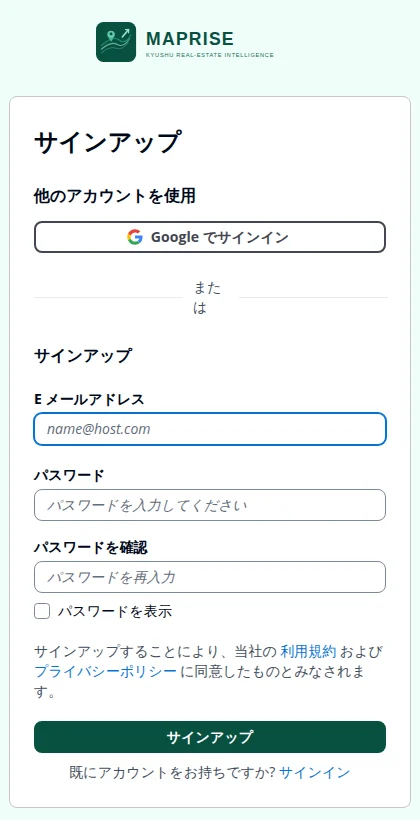
- On the sign-up screen, enter your email address and a password (twice, to confirm), then press "Sign up"
- The password must be at least 8 characters and include at least one uppercase letter, one lowercase letter, one number and one symbol
- Tick "Show password" to check what you typed
- A verification code is sent to your email address. Open the email and enter the code on the screen
- Once verified, your account is created and you go to the map screen
If you forget your password, use "Forgot your password?" on the login screen to reset it.
Notes on logging in
- If you registered with a Google account, always log in with "Continue with Google" (there is no password). "Continue with email" is for people who registered with an email address and password
- Password-reset emails are sent only to people who registered with email
- For 30 days after you start the withdrawal procedure, "User is disabled" is shown and you cannot log in. Restore your account from the link in the restoration email we sent when you withdrew
Your plan right after sign-up
A newly created account starts on the Free plan, which includes up to 50 AI questions per month. You can apply for a paid plan (Starter, Pro or Business) from the pricing page. Paid plans include a 14-day trial from your first application.
Switching language
Use the "JP / EN" button at the top right of the login screen or the top left of the map screen to switch between Japanese and English.
Notes
- During the flow, some screens may appear in English; they are the genuine MAPRISE login screens
- The verification email may land in your spam folder. If it does not arrive, please check there
- Disposable email addresses cannot be used to register
- For questions about logging in, contact info@maprise.jp